

Table of Content


2.1.Toolbox
The toolbox is a library of audio objects. In SFD, you can create compound audio objects by combining multiple audio objects into a signal audio object. These compound audio objects can be saved and reused in the same and other signal flow designs. Additionally, you can import compound audio objects into SFD using the import option.
Use the search option to locate the audio object in the toolbox. To find the desired audio object, enter the first three or more characters in the toolbox’s search bar.
The audio objects displayed in the toolbox based on the default device audio library version.
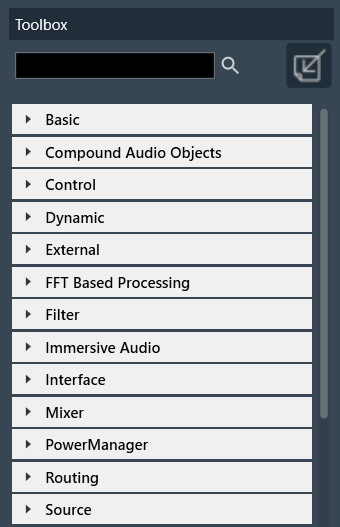
Regardless of the audio Library, two objects are always available in the Toolbox by default. The objects “Frame” and “Textbox” can be found in the Shapes category in the toolbox. These are not audio objects, and they are not considered when tuning or sending the signal flow to the device.
The frame object is used to highlight certain blocks in the signal flow designer. Whereas the Textbox object is used to provide additional information to the user of the Signal Flow.
For more information about various audio objects, refer to the Audio Object Description Guide.
 Was this helpful?